


NetChat WISECP Live Support Add-on
Manage visitor and customer chats through WISECP Support Tickets.
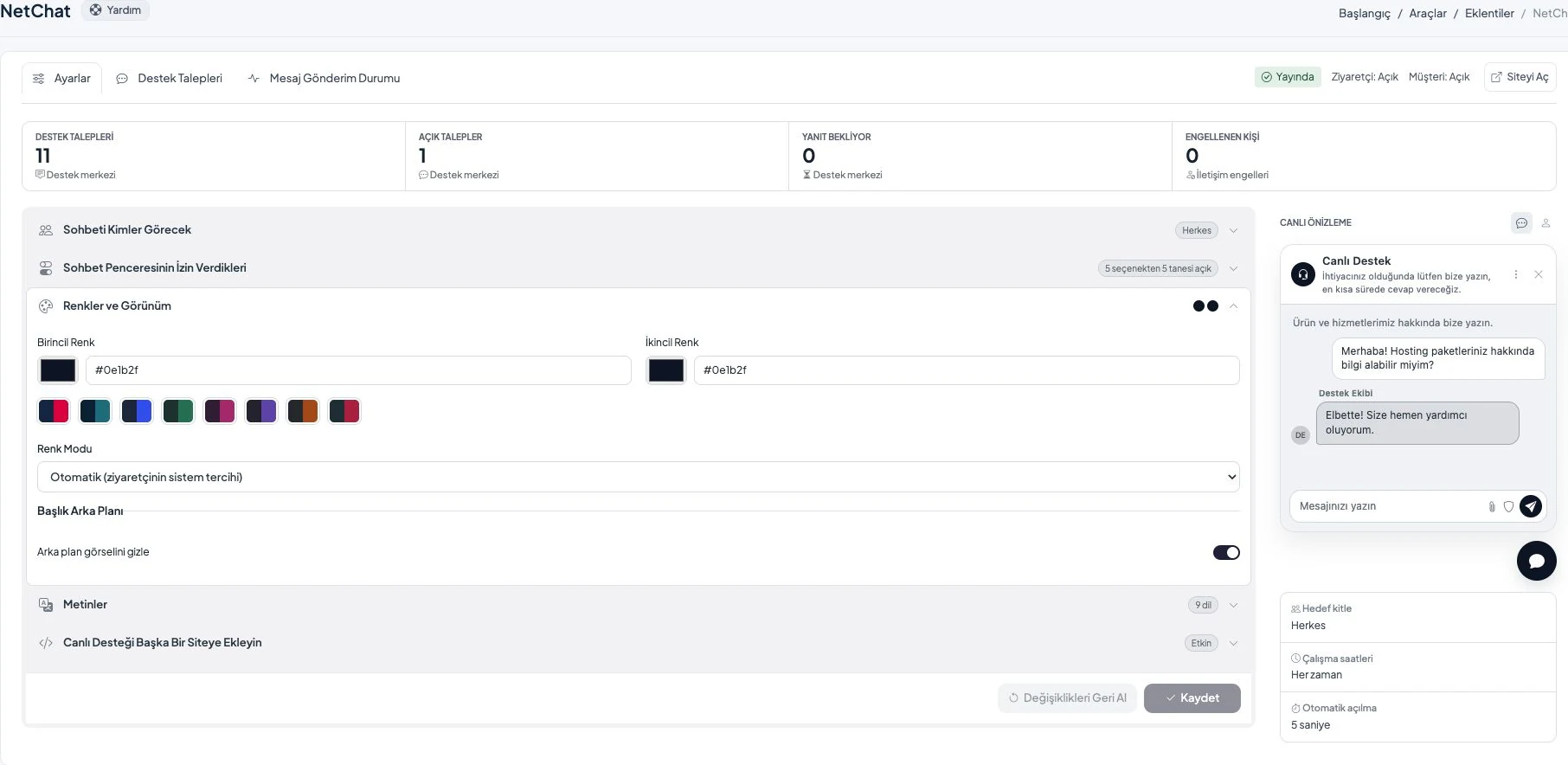
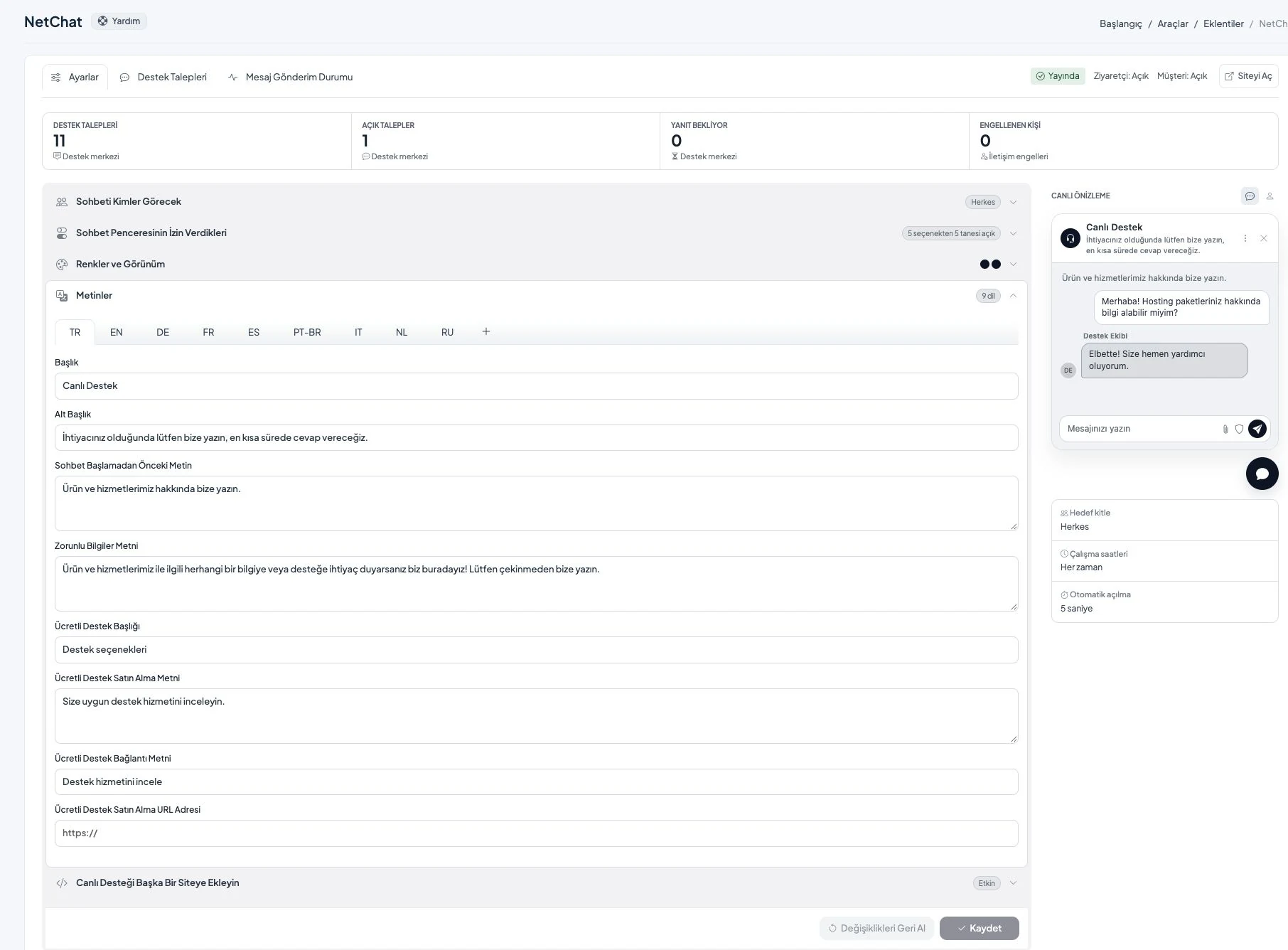
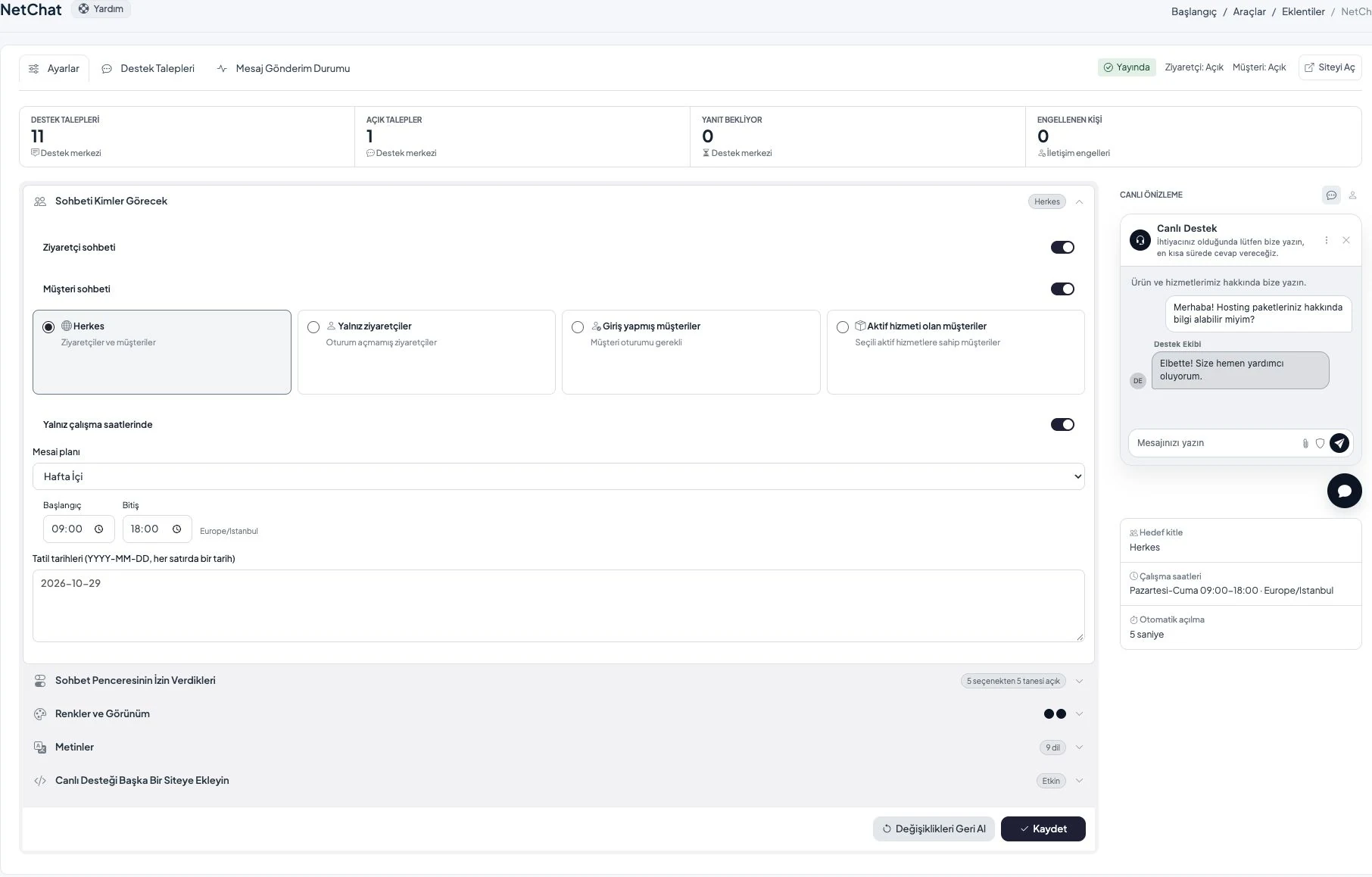
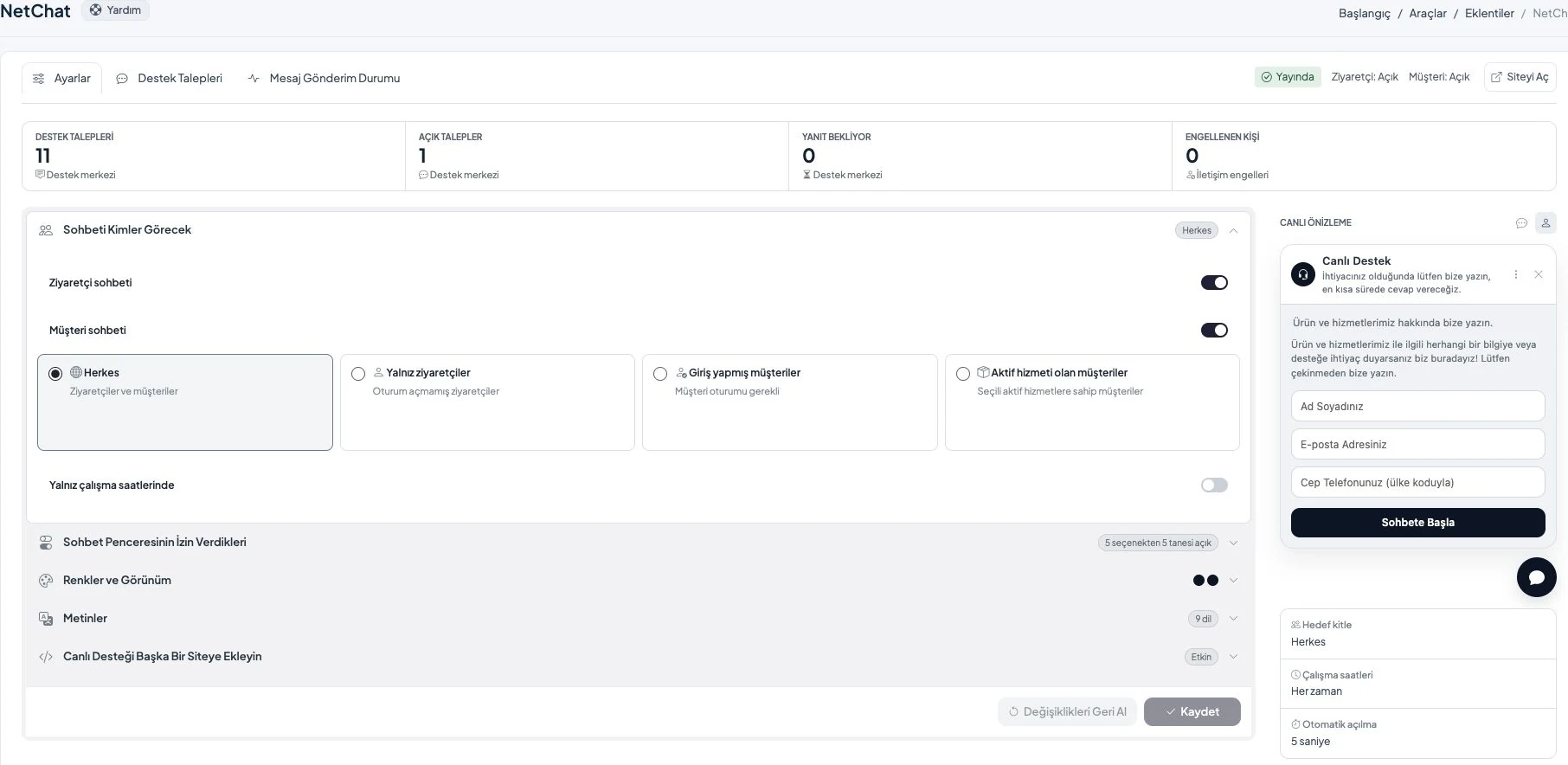
Manage support in one system with NetChat
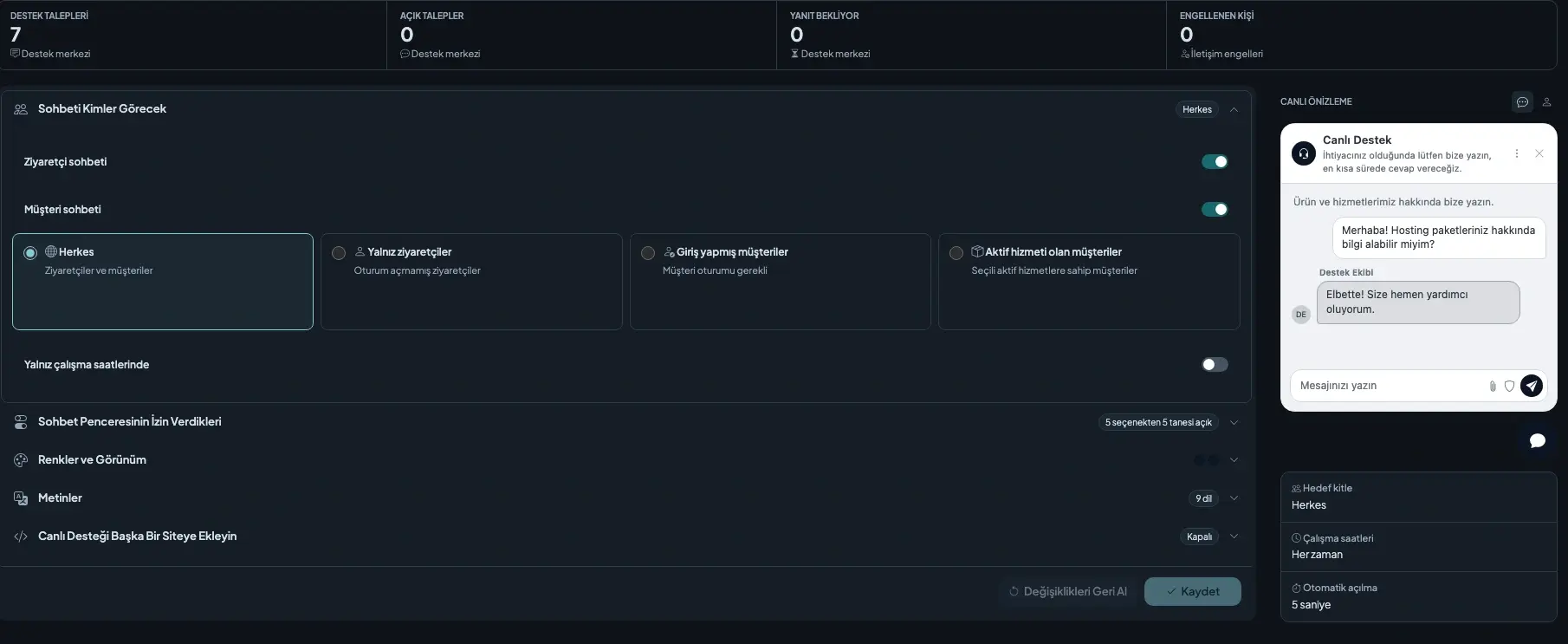
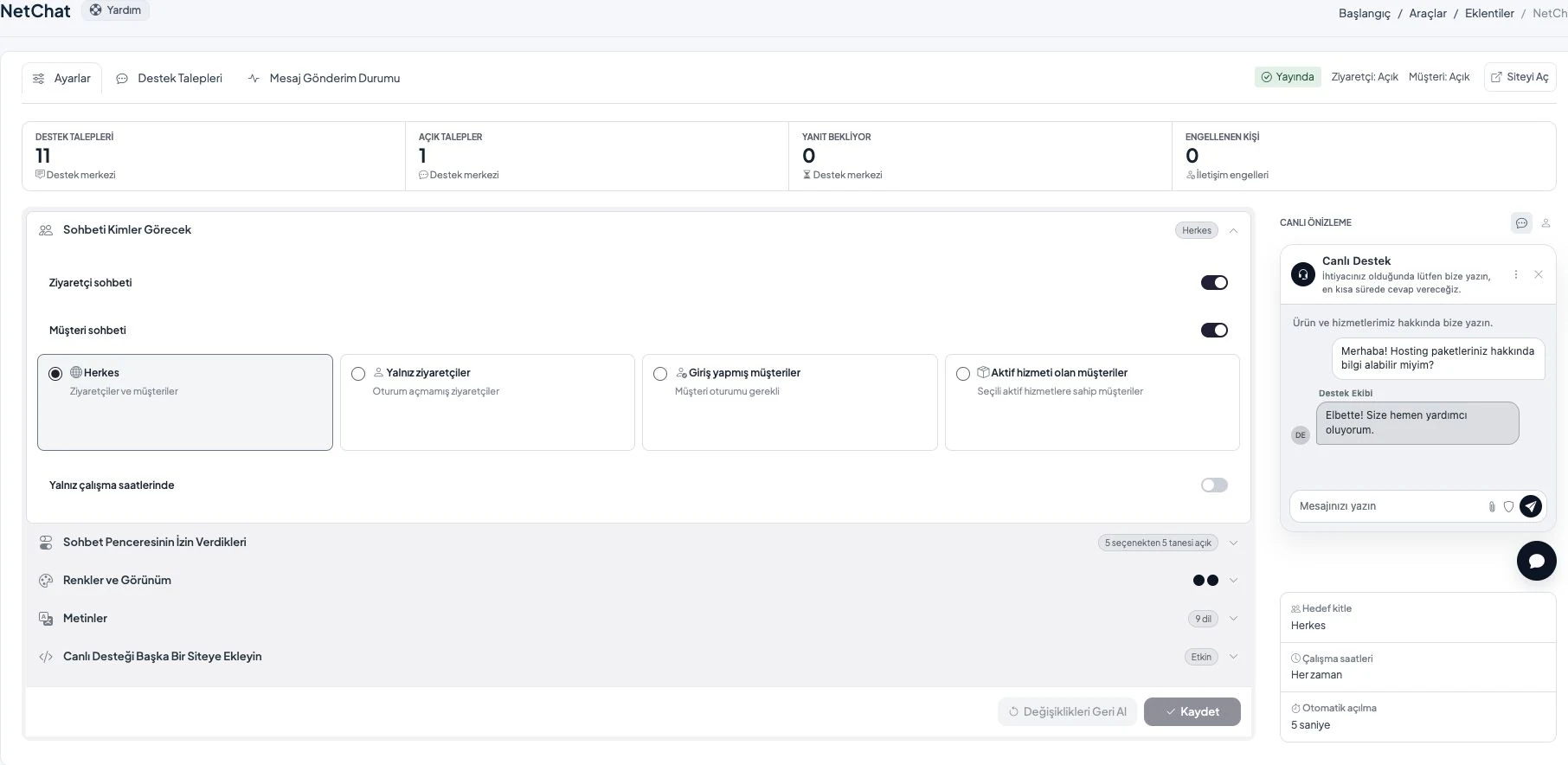
NetChat lets website visitors and registered customers contact you through a chat window connected to your WISECP support system. Messages and staff replies are managed through WISECP Support Tickets; a separate conversation management system is not required.
Chat experience and administration
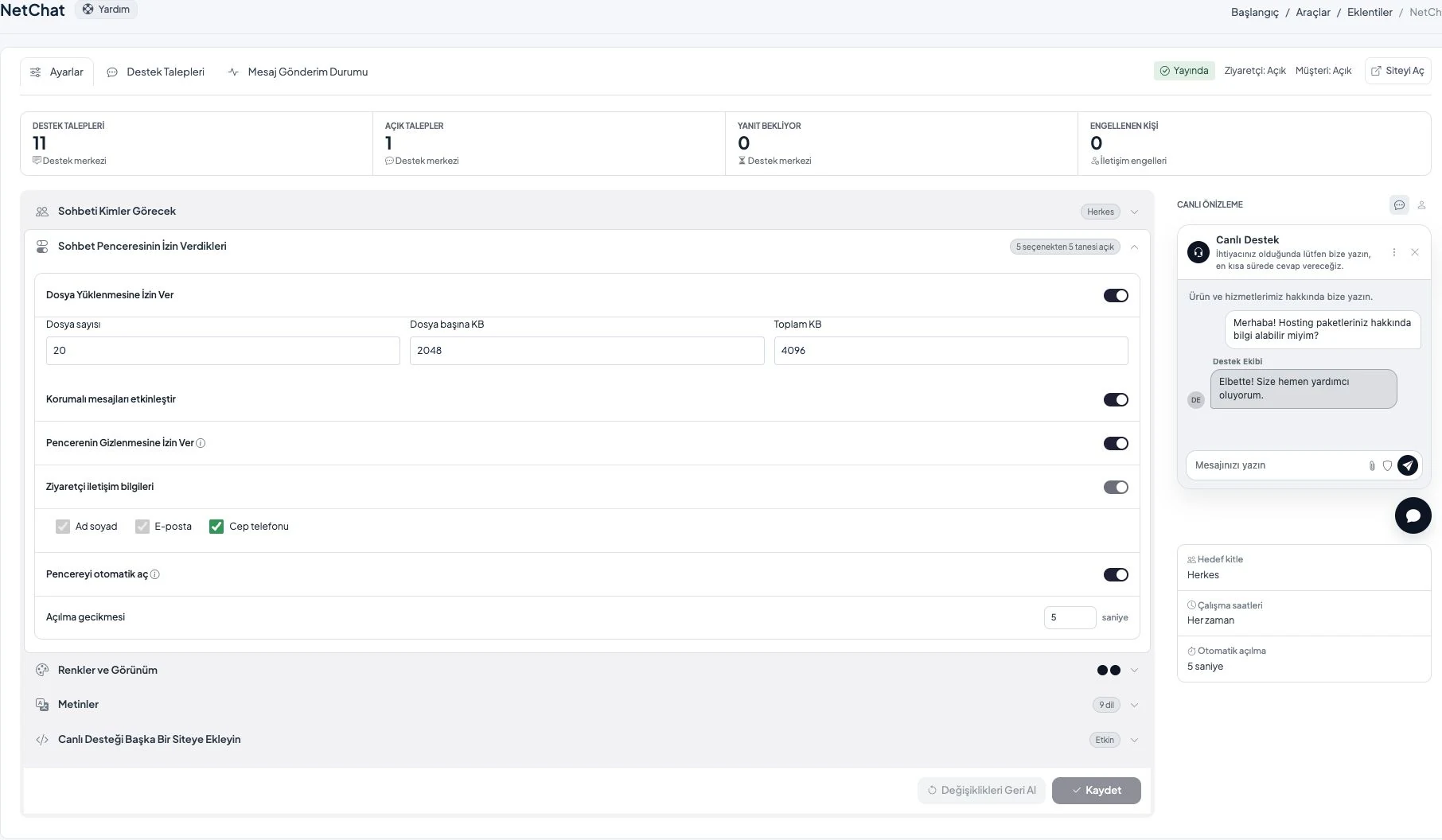
Configure visitor and customer targeting, working hours, multilingual texts, file sharing, chat history and appearance from the NetChat management screen. Staff access and ticket management depend on the existing WISECP permissions. Notification delivery depends on your installation's email configuration.
Distribution and licensing
The current version is shown in Product Details. Use the official package provided for your service for installation and upgrades. This product is not offered with a promise to deliver complete, unencrypted source code.
Use requires a valid NetChat license matching the installation domain. Without successful validation, chat publishing and operations requiring a license remain unavailable; existing settings and support records are not deleted. Usage, update and support rights for monthly, annual or one-time licenses depend on the purchased service's scope. A one-time license does not automatically promise unlimited updates or support.
Finish setup
In WISECP administration, open Tools → Add-ons → NetChat. When the license shows Valid, choose the recommended support department on the Smart Setup card and click Start Smart Setup. If the button says Check Again, use that instead. This completes Department Mapping, Native Send and Reply Verification, and Guest Send and Reply Verification. The panel shows WISECP Connection as Ready and Live Support as Live once published. If all three checks stay pending, follow the troubleshooting steps below.
First installation
- Back up and check requirements Back up your WISECP files and database. Check the PHP and ionCube Loader requirements listed for the product. WISECP needs write access to the NetChat configuration and permission to prepare the add-on tables.
- Upload the package In WISECP administration, open Tools → Add-ons → Upload New Add-on. Upload the first-install ZIP and enable NetChat.
- Verify the license Enter your purchased license key on the NetChat License tab. Confirm that the license is valid and bound to your installation domain.
- Run Smart Setup Make sure WISECP has at least one active support department. On the NetChat main screen, select the recommended department if appropriate and choose Start Smart Setup. Use Publish automatically after setup if you want eligible channels to open as soon as the checks pass.
- Verify both chat flows Smart Setup uses a system ticket to check creation, reading, reply and closure, with test notifications suppressed. It also checks that WISECP guest tickets are available. If automatic publishing is off, open the necessary channels after the system checks. Then test in a restricted environment. Send a customer message while signed in to a test account, then a guest message from a signed-out browser window. Confirm that both reach Support Tickets and that staff replies reach the corresponding chats. Test WISECP email notifications separately.
If setup stays pending
- Department mapping WISECP must have at least one active support department. Select the right department and use Start Smart Setup or Check Again.
- Sending and replies The customer check needs an active customer account suitable for testing. The guest check needs working WISECP guest tickets. Also check the license and file write permissions. If a system test ticket is listed, review its result in Support Tickets.
- All three checks stay pending after reinstalling An earlier Smart Setup record may still point to a system ticket that no longer exists. Contact Nettescil support with the visible error and the test ticket number if shown. After verifying backups of the database and settings, support can retain the old record and rerun verification.
Updating an existing installation Use NetChat → Settings → Updates and choose the update package for your installed version. Uploading the first-install ZIP over an existing installation can overwrite the configuration and cause loss of your license and settings.
Installation assistance depends on the service purchased. Confirm the scope with Nettescil before purchase.
NetChat 1.0.1
The product version and distributed ZIP version match: 1.0.1. The add-on name and folder are NetChat; the management path is Tools → Add-ons. Four files are ionCube-protected. The license is validated against the domain, and support messages are managed through native WISECP Support Tickets.
NetChat WISECP Live Support Add-on
WISECP Plugins- Live chat integrated with WISECP support tickets
- Visitor and customer targeting
- File sharing and chat history
| Billing Cycle | Total |
|---|---|
| One Time | $197.65 |
| Monthly | $3.95 |
| Annually | $39.53 |
| Released | 10 October 2026 |
|---|---|
| Version | 1.4.5 |
| Built With | PHP 8.3 / MySQL-MariaDB / ionCube Loader 15.5 |
| Pages Included | 4 ready-made sections |
| License | Domain-bound software licence |
| Updates | Included while active |
- WISECP v5 and permission to install and manage add-ons.
- PHP 8.3 is the target of the distributed encoded files. Verified environment: PHP 8.3.33 and ionCube Loader 15.5.
- An appropriate ionCube Loader for PHP 8.3. PHP 8.4 compatibility has not been verified; PHP 8.4 or later support is not promised for this package.
- The MySQL/MariaDB database and PHP extensions supported by your WISECP installation.
- HTTPS, a current JavaScript-enabled browser and a secure connection to the license server.
- A valid NetChat license matching the installation domain.
Other Products
Browse All Products Popular
Corporate Product Sales Theme
 Popular
Reseller Center WISECP Plugin
 Popular
Florist E-commerce Software
 Popular
Netlen Domain Registrar
Reach Sales & Support
Have a question before you buy, or need help with an existing account? Call or email us.