


Netlen Domain Registrar
Manage Netlen domain services from your WISECP panel.
Netlen Domain Registrar 5.1.1
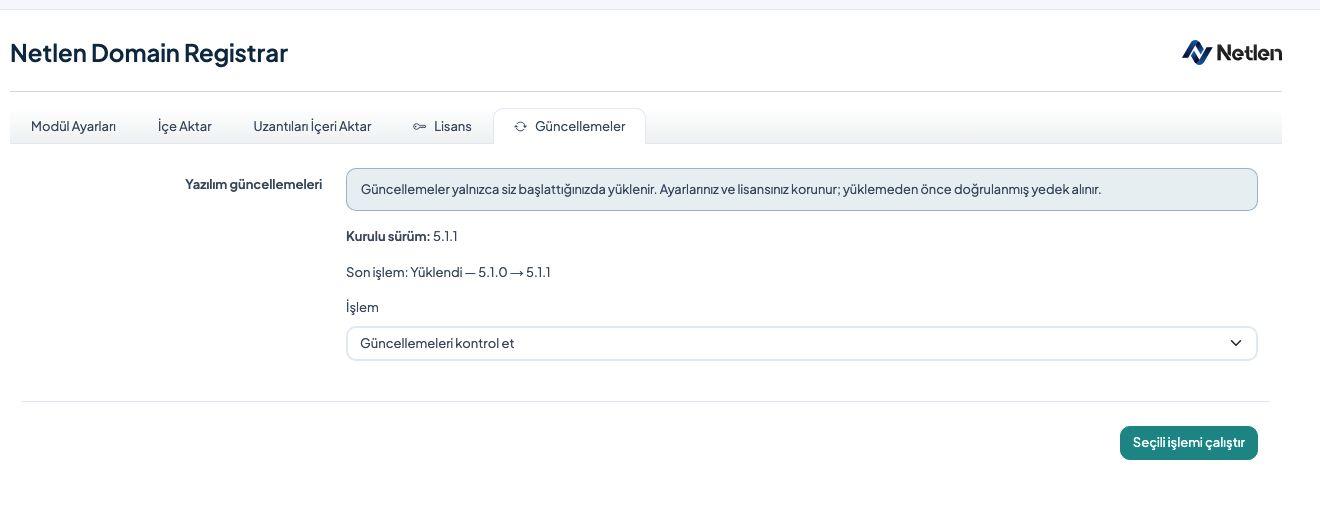
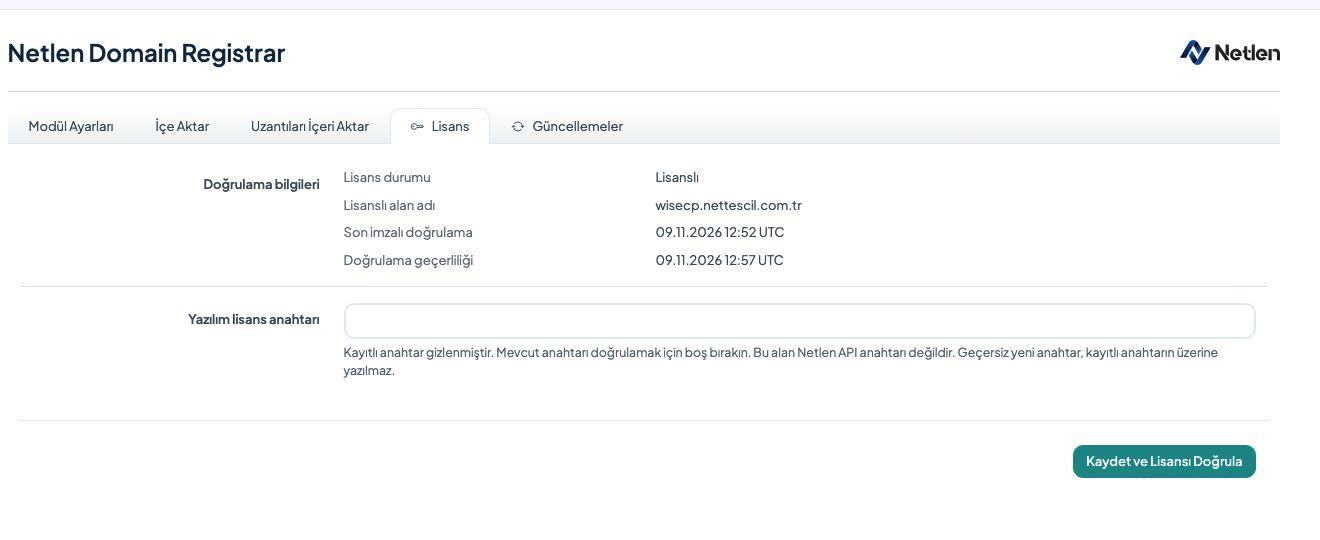
Version 5.1.1 supports WISECP v5 and Netlen API v2. The one-time, domain-bound software license includes 365 days of updates from the first successful module activation. Reverification does not extend this period; expiration of update access does not itself revoke the right to use the installed version. Updates are started by an administrator, with signed packages, preserved settings and license, backups, health checks and rollback.
Netlen domain integration within your WISECP workflow
Netlen Domain Registrar is a registrar integration module for managing Netlen domain services through WISECP. It helps businesses that manage domain sales and customer services in WISECP configure their provider connection from the same panel.
Domain operations
The module is used in lookup, registration, transfer and renewal workflows for extensions assigned to it and supported by the provider. Availability depends on the installed module version, the Netlen account's API permissions, extension rules and the provider response. Sending a request does not mean that the operation has completed.
Configuration and import
- Manage Netlen API connection details in module settings.
- Configure default nameservers.
- Access domain and extension import interfaces.
- Configure cost currency and automatic cost updates.
- Use registration periods subject to the provider's price catalogue and extension limits.
Before use
Check package compatibility, API access and the extensions you intend to offer. Operations, periods and additional management features may differ by extension. Module installation and use must be considered separately from the provider's terms for domain transactions.
Netlen Domain Registrar Frequently Asked Questions
What does Netlen Domain Registrar do?
It is a registrar module that connects Netlen domain services to the WISECP management workflow. The API connection, default nameservers and import settings are configured in the same administration panel. The module itself is not a domain name or hosting package.
Which account and technical requirements apply?
You need a compatible WISECP installation, a Netlen account authorized to access the domain API and valid connection credentials. The server must be able to establish a secure HTTPS connection to the provider. Check the package documentation for the exact PHP, WISECP and additional runtime requirements before purchasing.
Are registration, transfer and renewal available for every extension?
These operations are available only for extensions assigned to the module and supported by the provider, within the account's permissions. Domain status, transfer conditions, contact verification or additional document requirements may affect an operation. Sending an API request does not mean the operation has completed successfully.
For how many years can a domain be registered or renewed?
Minimum and maximum terms depend on the extension and the provider's rules for the relevant operation; the same term does not apply to every extension. Terms offered in WISECP should be checked against current provider data. Verify the selected term and total amount in the cart before confirming an order.
How are default nameservers used?
The module's default nameserver settings are used when configuring new domain operations. Changing this setting does not mean that the delegation of all existing domains has changed. Nameservers for an existing domain must be updated separately through a supported management operation for that domain and verified with the provider.
Can existing domains be imported into WISECP?
The module includes domain and extension import interfaces. Before importing, check the mapping between the provider record and the customer and service in WISECP. Importing does not automatically change domain ownership or registrar; existing records should be checked to avoid duplicate services.
Are domain charges included in the module price?
The software module price is separate from domain registration, transfer and renewal costs. Check provider costs, currency and WISECP selling-price settings. The availability of automatic cost updates does not mean every extension is free or that selling prices will be calculated correctly under all circumstances.
Does every domain support WHOIS privacy, transfer locks and Auth/EPP codes?
These additional operations depend on the installed module version, Netlen API support, account permissions and extension rules. Not every domain offers the same features. Do not assume privacy or lock settings have changed without a verified provider response; keep transfer codes confidential.
What should I do if an operation fails or times out?
Check the WISECP operation record together with the actual domain status at Netlen. Before repeating a registration, transfer or renewal request with an uncertain outcome, verify the result with the provider. A support request may include the operation ID and error message, but not API keys, passwords or Auth/EPP codes.
What should be checked before installation or an update?
Back up WISECP files, the database and existing module settings, and prepare a rollback method. Check package compatibility, the API connection, nameservers and extension mappings. License duration, usage rights, updates and support depend on the current terms of the purchased service; free installation or unlimited updates should not be assumed.
- Back up WISECP files, the database and existing module settings.
- Check the package documentation for supported WISECP/PHP versions and required extensions.
- Install the registrar module using its own package instructions; do not use files from another add-on.
- Open Netlen settings in WISECP's service providers section. Enter the API address and the authorised account's connection details in the secure fields.
- Review default nameservers, supported extensions, registration periods and cost currency.
- When importing, review customer and service mappings. Before a real registration, transfer or renewal, verify the scope and provider terms.
5.1.1
For a new installation, download Netlen-5.1.1-install.zip and copy its coremio directory into the WISECP root after backing up files and the database. Validate the software license, configure the Netlen API key and matching test/live mode, then check the connection and selected TLD prices. When upgrading 5.0.x manually, preserve config.php and license.key.php. From 5.1.0, use the module’s Updates screen to install 5.1.1. Read release notes, back up and install, then verify the license, connection and version. Customer contact sharing must be configured for the intended registrant.
v5.1.1 — Stable release | 2026-11-02
Version 5.1.1 supports WISECP v5 and Netlen API v2. The one-time, domain-bound software license includes 365 days of updates from the first successful module activation. Reverification does not extend this period; expiration of update access does not itself revoke the right to use the installed version. Updates are started by an administrator, with signed packages, preserved settings and license, backups, health checks and rollback.
Netlen Domain Registrar
WISECP Plugins- Netlen registrar integration for WISECP
- API connection settings and default nameservers
- Lookup, registration, transfer and renewal workflows for supported extensions
| Released | 30 October 2026 |
|---|---|
| Last Update | 2 November 2026 |
| Version | 5.1.1 |
| Built With | WISECP v5 / PHP 8.3+ / Netlen API v2 |
| Pages Included | 4 ready-made sections |
| License | 1 domain, full source code |
| Updates | 365 days from first activation |
PHP 8.3 or later; curl, json, openssl, sodium and zip. A valid Netlen Domain Registrar software license and a Netlen domain API account with the server IP allowed. Remote updates require PHP CLI/proc_open and a private writable backup directory outside the web root; use persistent storage with Docker. This Netlen package does not require additional ionCube encoding support; WISECP’s own requirements still apply.
Other Products
Browse All Products
Florist E-commerce Software
 Popular
Corporate Product Sales Theme
 Popular
Reseller Center WISECP Plugin
 Popular
NetChat WISECP Live Support Add-on
Reach Sales & Support
Have a question before you buy, or need help with an existing account? Call or email us.